

Corsair K68
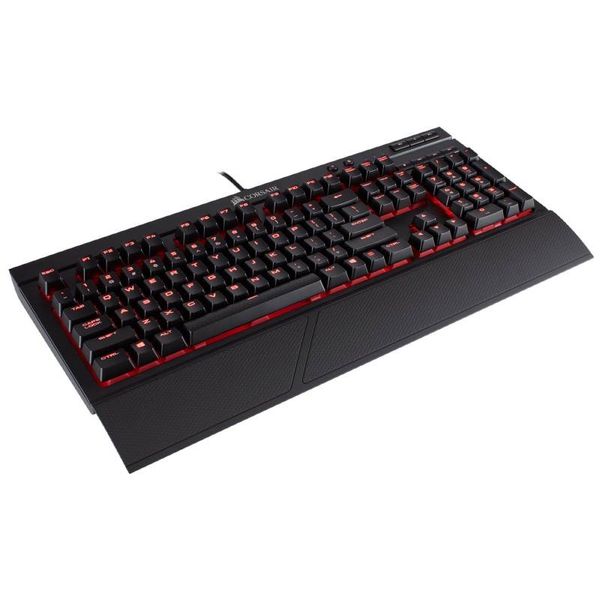

 MYR 375.00 - MYR 529.00
Reviews
Show product page
8 years ago
a bit mushy, (when compared to my last keyboard) i got used to it
its a bit mushy feeling, but i killed my last keyboard with coffee. so its a far trade if you ask me
8 years ago
Corsair K68 RGB keyboard review
We've reviewed quite a few Corsair keyboards already. This round a Cherry MX keyboard that remains a bit more affordable, with the addition of RGB configurability. The K68 is a notch cheaper compared to it's bigger brothers, but it certainly plays the same, gaming wise you cannot complain at all as...
8 years ago
Corsair K68 RGB Keyboard Review
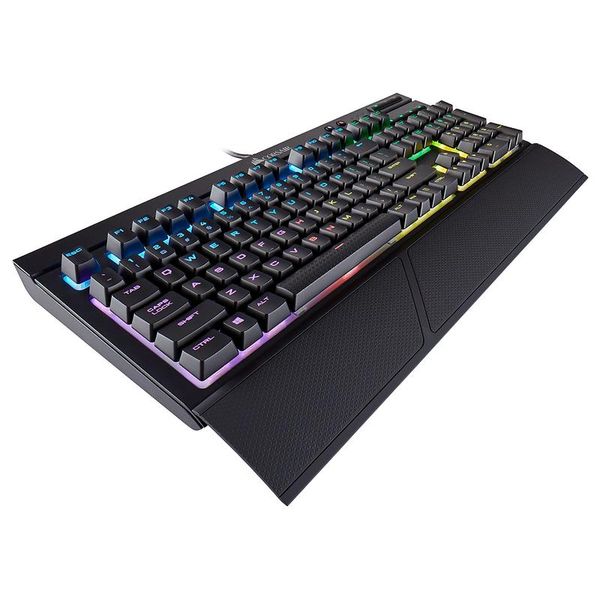
How could you possibly improve on a backlit mechanical IP32 rated keyboard By adding full RGB illumination of course. Corsairs new K68 RGB not only features IP rated dust and water resistance but also makes full use of the CUE lighting software for an almost infinite number of lighting...
8 years ago
Corsair K68 RGB Mechanical Gaming Keyboard Review
Today we are graced by Corsair and their new RGB version of the K68. Corsair once again sets out on the mechanical keyboard quest in search of gaming perfection.We covered the all red K68 and we cant wait to see if this board succeeds its predecessor in style. Lets Jump right in!
8 years ago
CORSAIR K68 RGB Keyboard + PBT Keycaps
CORSAIR has taken last year's K68 and given it the magic of RGB backlighting. Featuring per-key 16.8M colors that can be controlled via their excellent CUE driver, or even onboard controls now, and keeping the IP32 dust and spill resistance, it is a budget friendly mechanical keyboard for those...
8 years ago
Corsair K68 RGB Review
This durable mechanical keyboard comes paired with great software. The custom lighting is a bit tricky at first, but once you figure it out, the possibilities are endless. In most keyboard reviews, the intro gives you the spiel on how important it is to have a "gaming" keyboard in order to play PC games. Such keyboards emphasize the X number of milliseconds their fancy switches will save you on reaction times. If you're one of the many people who have switched from rubber dome to mechanical switches, you'll notice an obvious difference in typing quality that often translates into improved comfort and accuracy. However, unless you're a top-level professional gamer, chances are you won't notice much of a difference in your reaction time—or any of the other attributes that gaming keyboard manufacturers promise their products will improve. The only real advantage offered by gaming keyboards is anti-ghosting. So, now that we've shot this entire category in the leg, what about gaming keyboards makes them worth buying? Their look and feel certainly help. Nobody wants to show up at a LAN party toting the $20 keyboard they borrowed from an accounting depart...
Pros:
- Authentic Cherry MX Red switches
- Superior software
- Dust/spill proof
Cons:
- Ho-hum plastic wrist rest
- Help button poorly explains the "static" lighting option

8 years ago
Corsair K68 RGB review
Sometimes it seems like certain keyboard models exist just to exist, but Corsair's K68 RGB mechanical gaming keyboard feels like it has a reason for being. The reason To have a high-performing gaming keyboard that isn't afraid of a spilled bottle of orange Fanta.
Pros:
- Quiet for a mechanical keyboard
- Not afraid of spills
- Fair price
Cons:
- Grease-magnet keycaps
- Sub-par wrist rest
- No drainage system

6 years ago
Great quality
Great product, as described and great service
9 years ago
IP32 resistance rating puts the K68 in a class of its own.
Pros:
- Cherry MX Red Switches
- LED Controller / CUE
- Wrist rest
- Bright
- per-key LED
- Dedicated Media Keys
- IP32 Protection Rating
- Corsair quality
Cons:
- No color options
- No switch type option (Brown
- Green
- etc.
4.3
from 29 reviews
5
30.0%
4
65.0%
3
4.0%
2
0.0%
1
0.0%

